Suggested Technique for Creating Raised Text on a Cylindrical Surface
Procedure
-
To create raised or depressed text on a surface, an offset feature
will be used. This example uses a cylindrical surface, but any developable surface (cone,
cylinder, plane, extruded surface, ruled surface) can be used. First, create a datum
plane offset an arbitrary distance above the cylindrical surface.
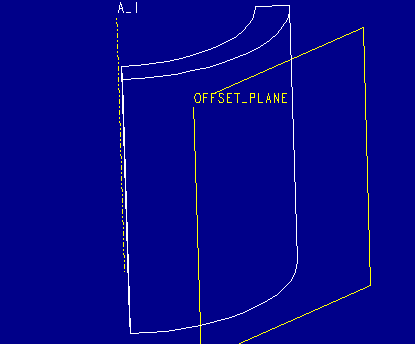
Figure 1
-
Use the offset datum plane as a sketching plane for a datum curve
using the Formed option. Select the cylindrical surface as the surface
to form this datum curve around. In Sketcher, select Adv Geometry from the
GEOMETRY menu and then Adv Geometry, Text. This will
allow you to enter in a line of text and place it on your geometry. Dimension
the text block with respect to the part both horizontally and vertically. A sketcher coordinate system will be required, which
can be created by selecting Coord Sys from the ADV GEOMETRY menu.
NOTE: The sketcher coordinate system is the origin of the sketch and the text
will be formed around the cylindrical surface relative to the sketcher coordinate
system.
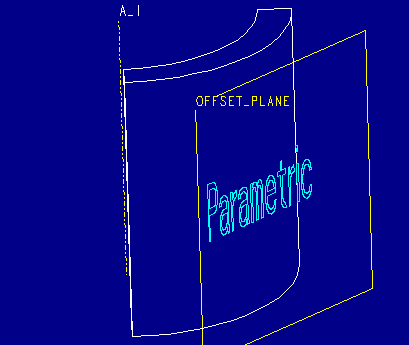
Figure 2
-
Create an offset feature by selecting Create from the FEAT menu and
then select Tweak, Offset.
Select the Offset Datum Plane created in Step 1 as the
sketching plane and select the cylindrical surface for the surface to offset.
From the OPTIONS menu specify whether the
sides of the surface will be normal to the sketching plane or
whether the sides of the surface will be normal to the cylindrical surface
by selecting either SideNrmToSkt or SideNrmToSrf respectively.
In Sketcher, select Geom Tools from the SKETCHER menu and then
Use Edge, Sel Loop and pick each datum curve letter created
in Step 2. Once all letters have been selected, regenerate the sketch and select
done . You will be prompted for an offset value. A positive offset will
raise the text while a negative offset will depress the text.
NOTE: This geometry may contain many tiny edges which need to be zoomed
in on. Zoom In in SKETCHER Mode effectively causes sketcher accuracy to increase
which will allow the tiny edges to regenerate succesfully.
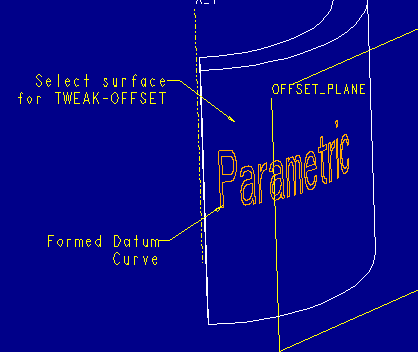
Figure 3
-
This completed feature will now be offset from the selected surface
as illustrated below.
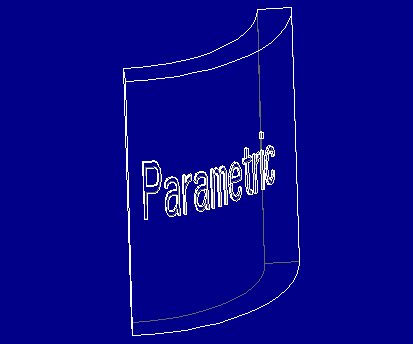
Figure 4
Back to Pro/ENGINEER technical information