Suggested Technique for Creating an Extruded Elliptical Feature
Procedure
-
Start with a horizontal and vertical centerline in sketcher mode. As shown in Figure 1

Figure 1
-
Sketch a two point conic in the first quadrant of the two intersecting centerlines as shown in Figure 2.

Figure 2
-
Select Geom Tools, Mirror and select the horizontal centerline to mirror
about. Select Done Select, then select the conic to mirror, see Figure 3.
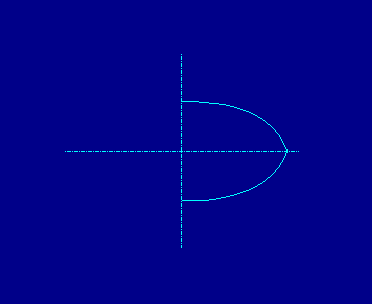
Figure 3
-
Select Geom Tools, Mirror and select the vertical centerline to mirror about. Select Done Select, then select the two conics that exist, see Figure 4.

Figure 4
-
Dimension the conic to look like Figure 5. To dimension the angular dimensions
of each end of each conic, select Dimension, select the conic, select the end point of
the conic, select the appropriate center line and place the dimension with the middle
mouse button. Specify a rho dimension by selecting the conic and placing the dimension.
Also needed are an overall height and length dimension. Notice in Figure 5, the value for
rho displays as .414. The only value for rho that will give a true ellipse is [sqrt(2) -1],
therefore when modifying these dimensions, this equation should be entered.

Figure 5
-
Regenerate the section, modify the angular dimensions to be 90 degrees to ensure tangency.
Regenerate again, select Done and enter an extrusion depth. The finished feature is shown in
Figure 6.

Figure 6
Back to Pro/ENGINEER technical information